PRETTYYou commented this keyword
21st MCP (formerly Magic MCP)
Connect Claude to 21st.dev so it can search, pull and (with AI access) generate polished UI components for your app.
- Claude Code
- A free 21st API key
- Setup
- 3 min
- Level
- Beginner
- Stars
- 6.0k
- License
- ISC
What it does
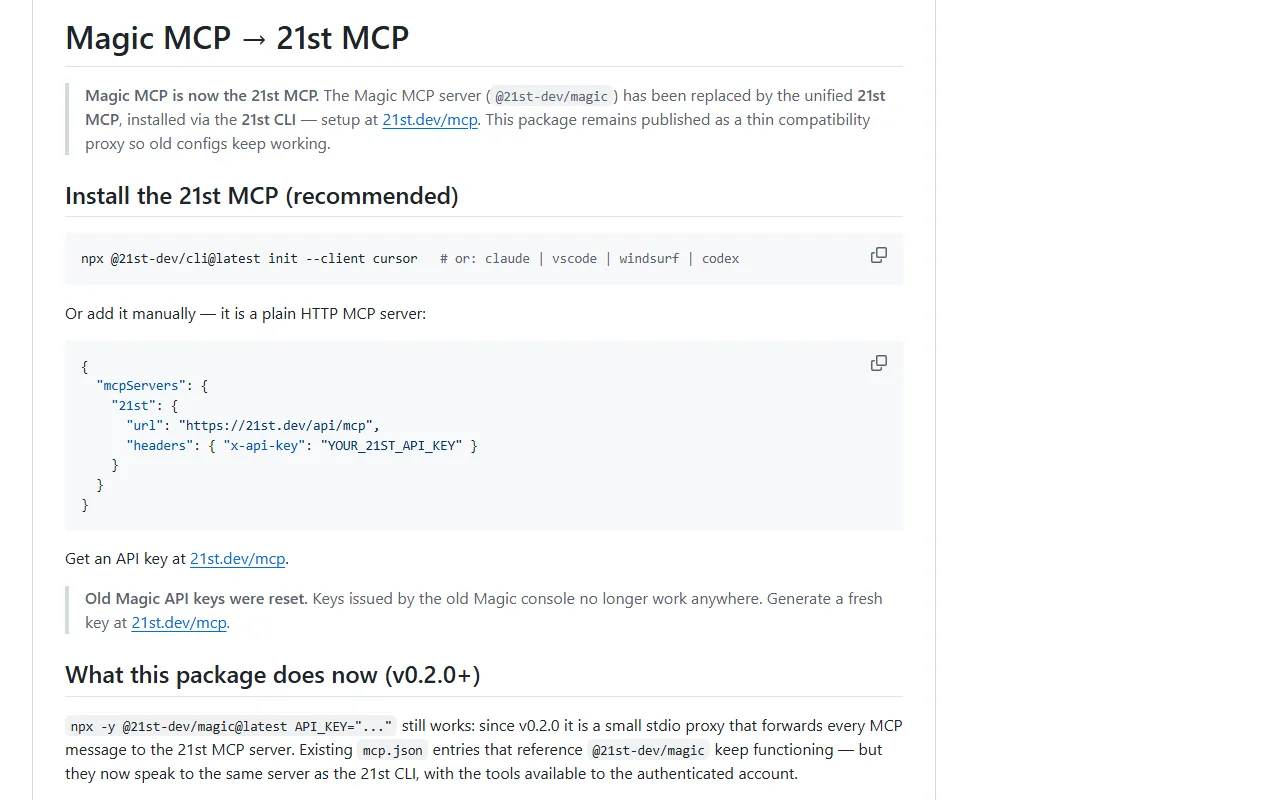
Magic MCP has been replaced by the 21st MCP. It is an MCP server, which is a connector that gives Claude new tools. These tools let Claude search the 21st.dev catalog of UI components, themes and templates, fetch a component's code, and search for logos.
If your account has 21st AI access turned on, Claude can also generate new UI components from a description. Old Magic configs still work through a compatibility proxy.
Install it
- Get a free API key at 21st.dev/mcp. Old Magic API keys were reset and no longer work, so get a fresh one even if you used Magic before.
- In your terminal, run the 21st CLI command below with --client claude.
- Follow the prompts, then start a new Claude Code session.
Copy this
npx @21st-dev/cli@latest init --client claude
Use it
- Ask Claude in plain words to search 21st for a component, for example a pricing table or a navbar.
- Ask it to fetch the component and adapt it to your project.
- With AI access enabled, ask it to generate a new component. The old /ui trigger phrase is no longer needed.
Good to know
The generate and iterate_generation tools only appear when AI access is enabled on your account. Without it, Claude can still search and get components and adapt them itself.
You can also install it as a Claude Code plugin: run claude plugin marketplace add 21st-dev/magic-mcp, then /plugin install 21st, and set your key in the API_KEY_21ST variable.
Want the next one first?
One new guide a week, straight to your inbox.