LAUNCHYou commented this keyword
Claude Code
Install Claude Code, the AI coding assistant that runs in your terminal. Almost every other tool in this library plugs into it.
- A Mac, Linux or Windows computer
- A terminal
- Setup
- 5 min
- Level
- Beginner
- Stars
- 150k
What it does
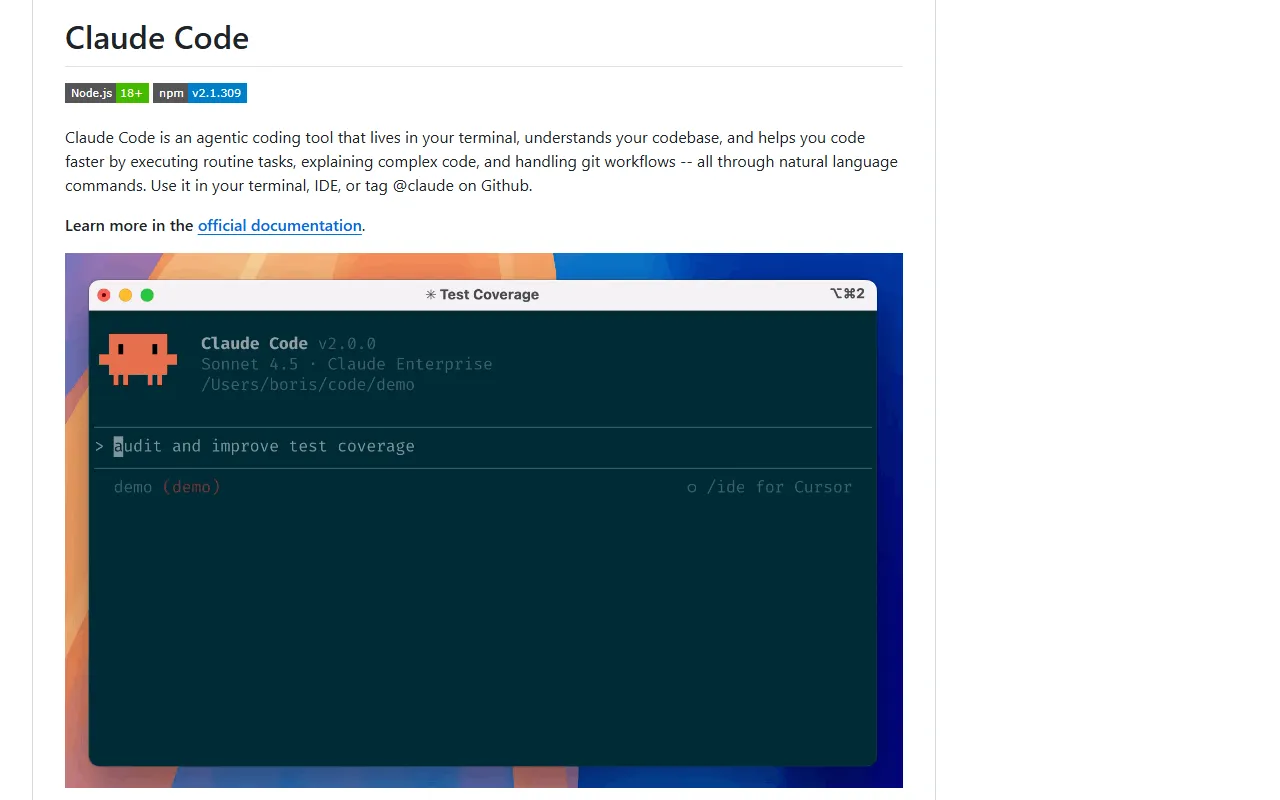
Claude Code is an AI coding tool that lives in your terminal (the text window where you type commands). It reads your project, runs routine tasks, explains code and handles git, all from plain-English requests.
Most plugins, skills and MCP servers on this site install into Claude Code, so set this up first.
Install it
- Open your terminal. On a Mac that is the Terminal app; on Windows use PowerShell.
- On Mac or Linux, paste the Mac/Linux command below and press Enter.
- On Windows, paste the Windows command below into PowerShell instead.
- Wait for the installer to finish.
Mac or Linux
curl -fsSL https://claude.ai/install.sh | bash
Windows (PowerShell)
irm https://claude.ai/install.ps1 | iex
Use it
- In the terminal, go to your project folder.
- Type claude and press Enter to start it.
- Ask for what you want in plain English, for example: explain what this project does.
- Type /bug inside Claude Code if something goes wrong and you want to report it.
Good to know
Other install options exist: Homebrew on Mac/Linux (brew install --cask claude-code) and WinGet on Windows (winget install Anthropic.ClaudeCode). Installing through npm still works but is deprecated.
Claude Code collects feedback such as usage data and conversation data tied to that feedback. The README links to the data usage policy if you want the details.
Want the next one first?
One new guide a week, straight to your inbox.