VISUALSYou commented this keyword
React Bits
Free, copy-paste animated React components for text, backgrounds, UI and micro interactions, installable with one shadcn command each.
- A React project
- Setup
- 5 min
- Level
- Beginner
- Stars
- 48.6k
- License
- MIT + Commons Clause
What it does
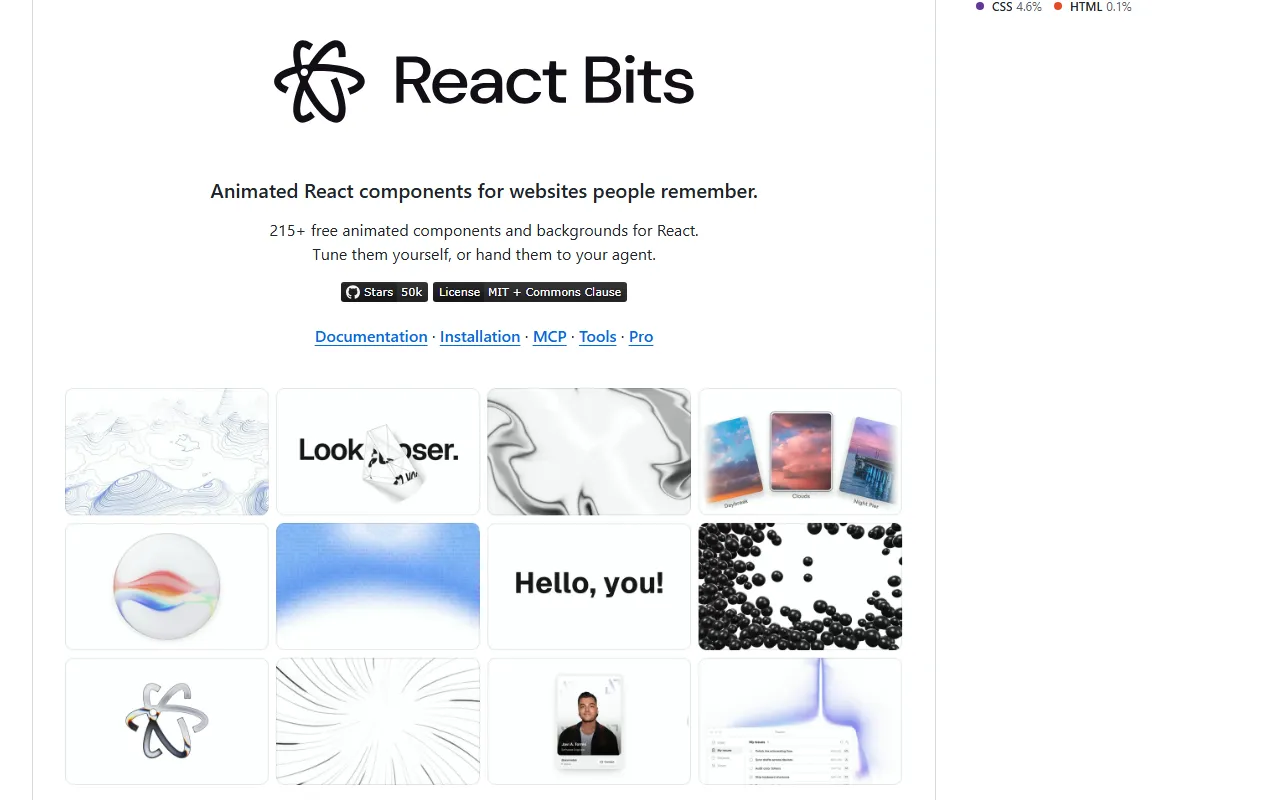
React Bits is a library of more than 200 animated React components: text animations, UI elements, micro interactions and animated backgrounds. Each one comes in four versions (JavaScript or TypeScript, plain CSS or Tailwind) so it fits your project.
The site also has free creative tools: Background Studio for animated backgrounds you can export as video, image or code, Shape Magic for rounded shape cut-outs, and Texture Lab for effects like noise, dithering and ASCII on images and videos.
Install it
- Browse the components at reactbits.dev and open one you like.
- Pick your setup (JS or TS, CSS or Tailwind). Each component page shows a copy-ready install command.
- Run that command inside your React project. Here is the README's example for the BlurText component.
- Or copy the component's code from the page and paste it into your project by hand.
Copy this
npx shadcn@latest add @react-bits/BlurText-TS-TW
Use it
- In Claude Code, paste the component's link or install command and ask Claude to add it to your page, for example as the hero headline.
- Customize it through its props, or ask Claude to edit the component source directly.
Good to know
The license is MIT plus the Commons Clause. The README says it is free for personal and commercial use. Official ports exist for Vue (vue-bits.dev) and Svelte (sveltebits.xyz).
Want the next one first?
One new guide a week, straight to your inbox.